
Instagram Audio Downloader: Reels to MP3
Paste a public Instagram reel link, listen to the audio first, then save it as MP3 or M4A in the quality you want. Works on iPhone, Android and PC.
Recent
Instagram to MP3 Converter for High-Quality Audio
AudioFromReels is a free Instagram audio downloader that turns any public reel into a clean MP3 or M4A file. Paste the link, preview the cover and creator, listen to the sound, and download it. There is no account to create, no app to install and no extension to add. It works the same on a phone, a tablet and a computer.
Whether you want a song you heard in a reel, a voice-over for a project, a sound for your own edit, or a backup of audio you created yourself, this Instagram reel audio extractor gives you the sound only, without the video, in seconds.
How to Download Instagram Audio
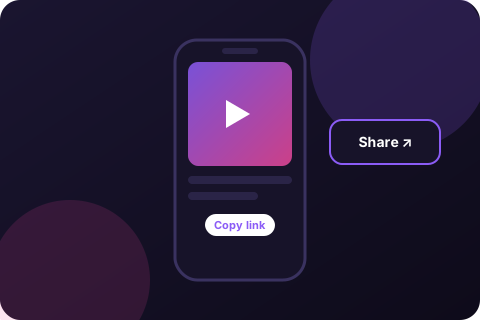
Copy the Instagram link
Open the reel in Instagram, tap the paper-plane Share icon, then choose Copy link. On a computer, copy the address from your browser's address bar.
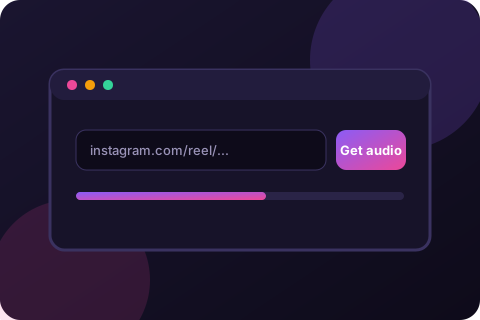
Paste the link here
Paste the link into the box at the top of this page and press Get audio. You will see the cover, title and creator, so you know it is the right reel.
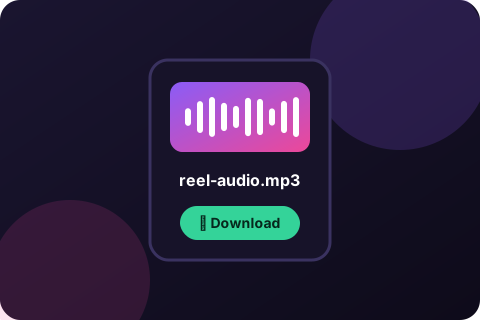
Choose MP3 or M4A to download
Pick your format and bitrate, press Listen first if you want to check the sound, then press Download. The file saves to your device.
Key Features of Our Instagram Audio Downloader
- Automatic audio downloadPaste once and the audio is fetched and converted for you.
- Preview before you saveSee the cover, title and creator, and play the sound in the page.
- Choose MP3 or M4AMP3 for compatibility, M4A for editing and the closest match to the original.
- Pick your bitrate128, 192, 256 or 320 kbps MP3 to balance quality and file size.
- Live progressFour clear steps show where your request is: checking, fetching, converting, ready.
- Fast extractionAudio-only processing keeps conversions quick, even for longer reels.
- Extract audio from reels, posts and IGTVPublic reel, post and IGTV links all work.
- No login requiredWe never ask for your Instagram username or password.
- All platforms supportedAndroid, iPhone, iPad, Windows, Mac, Linux and Chromebook.
- Completely freeNo subscription, no credits and no watermark on the audio.
- Private by designTemporary files are deleted right after your download.
- Recent listYour last conversions are remembered on your own device only.
Instagram Audio Downloader for Different Devices
Android
Copy the link in the Instagram app, open AudioFromReels in Chrome or Samsung Internet, paste, and press Get audio. The file lands in your Downloads folder and shows up in your Files and music apps.
iPhone and iPad
Open AudioFromReels in Safari, paste the link and download. Tap the download icon in Safari's address bar to find the file, or open the Files app and look in Downloads. Choose MP3 if you plan to share it on WhatsApp.
Windows PC and Mac
Copy the reel address from your browser, paste it here and download. M4A is a good pick if you edit in Premiere Pro, DaVinci Resolve, Final Cut, CapCut, Audacity or GarageBand.
How the Audio Downloader Converts Reels to MP3 Fast
- Fetch and decode. We read the public reel details from the link you pasted.
- Extract audio only. The sound is separated from the video so nothing extra is processed.
- Encode to MP3 or M4A. The audio is converted to your chosen format and bitrate.
- Download to your device. The finished file is sent to you and the temporary copy is deleted.
Instagram Audio Downloader Without Watermark
Audio files cannot carry a visual watermark, so what you download is clean sound with no logo, overlay or intro added by us. Because we extract only the audio track, you also avoid the extra steps and file size of saving the whole video.
If you need the video as well, remember that videos can carry creators' on-screen marks and are protected by copyright. Always get permission before reposting someone else's content.
Instagram to MP3: Download High-Quality Audio
Instagram stores reel audio in a compressed format. We convert it to MP3 or M4A without adding extra loss where we can. Use the table to choose.
| Option | Best for | Notes |
|---|---|---|
| MP3 128 kbps | Voice, podcasts, small files | Smallest size, fine for speech. |
| MP3 192 kbps | Everyday music listening | Good balance. The default. |
| MP3 256/320 kbps | Best MP3 quality | Larger files. Gains are limited by Instagram's source quality. |
| M4A (AAC) | Video and audio editing | Closest to Instagram's original. Some apps, like WhatsApp, prefer MP3. |
Instagram Song Download: Save Songs from Instagram Reels
Many reels use popular music. To save one, paste the reel link and download the audio. If the reel credits a track, we show the title when Instagram provides it, so you can look the song up on a licensed music service and listen to it in full.
Download Instagram Music and Reels Audio for Free
There is no paywall and no daily credit system. Use it as often as you like within the fair-use rate limit that protects the service from abuse. Your recent conversions are saved on your device so you can grab them again without searching for the link.
Why Do Creators Download Instagram Audio?
People save reel audio for many reasons:
- Backing up their own sounds and voice-overs before editing or deleting a reel.
- Studying trends by keeping a library of sounds that perform well.
- Editing a new video with a sound they own or have licensed.
- Ringtones and alerts from clips they have permission to use.
- Accessibility and notes such as saving spoken tips, lectures or interviews to listen offline.
How creators use trending Instagram audio downloads
Trending sounds help reels reach more people, but the safest route is to use the sound directly inside Instagram's own audio library, which handles licensing for you. See how to find and use trending audio.
Supports All Formats and Devices
MP3 works on virtually every phone, car stereo, speaker and app. M4A works well in Apple's ecosystem and most editors. If a player will not open one format, download the other. Any modern browser is enough: Chrome, Safari, Firefox, Edge, Brave, Opera and Samsung Internet.
Are Instagram Downloaders Safe to Use?
A safe downloader needs nothing from your Instagram account. AudioFromReels never asks you to log in, never asks for a password, and does not ask you to install software. Files are removed from our server as soon as your download finishes, and the page is served over HTTPS.
- Never enter your Instagram password into a downloader.
- Avoid sites that push downloads, browser extensions or fake "update" buttons.
- Only download content you are allowed to use.
Learn more in our privacy policy.
Troubleshooting: When a Reel Will Not Convert
- Make sure the reel is public. Posts from private accounts cannot be read.
- Copy the full link from the Share menu, not a screenshot or a shortened message.
- Try again in a minute. Instagram occasionally limits requests, and the next attempt often works.
- Check that the reel still exists. Deleted or archived reels cannot be read.
- Play issues? Download the other format. See Instagram sound not working.
Learn More About Instagram Audio
How to Download Audio from Instagram Reels
A step-by-step guide to saving reel audio as MP3 or M4A on any device.
How to Download Songs from Instagram (2026 Guide)
Find the song in a reel, save the audio, and stay on the right side of copyright.
Instagram Sound Not Working on Android or iPhone? 7 Fixes
Why reels play without sound and the quick fixes that actually work.
FAQs: Quick Answers
Is AudioFromReels free?
Yes. The Instagram audio downloader is free to use, with no sign-up, no subscription and no hidden limits for normal use.
How long does it take to convert a reel to MP3?
Most reels convert in a few seconds. Longer reels or busy moments can take a little longer. A progress bar shows each step: checking the link, fetching the audio, converting, and ready.
How do I download songs from Instagram?
Copy the reel link, paste it into AudioFromReels, press Get audio, preview the sound, then download it as MP3 or M4A. For music, check that you have the right to use the song. See our guide to downloading songs from Instagram.
Does this reel audio downloader work on Android, iPhone and PC?
Yes. It runs in any modern browser on Android, iPhone, iPad, Windows, Mac, Linux and Chromebook. There is nothing to install.
Can I download Instagram audio without installing an app?
Yes. AudioFromReels works entirely in your browser, so no app, extension or software is needed.
Do I need to log in to Instagram?
No. Paste the link of a public reel and you are done. We never ask for your Instagram username or password.
Does it work with private accounts?
No. Only public reels and posts can be read. Private content stays private.
Should I choose MP3 or M4A?
Choose MP3 for the widest compatibility, including WhatsApp, car stereos and older phones. Choose M4A (AAC) if you edit video or audio on a computer, since it is closer to the original Instagram file.
Why won't my M4A file play on WhatsApp?
WhatsApp and some older players handle MP3 more reliably than M4A. Download the same reel as MP3 and share that instead.
What audio quality will I get?
You can pick 128, 192, 256 or 320 kbps for MP3. Instagram stores reel audio in a compressed format, so 192 kbps is plenty for most uses and 320 kbps mainly makes the file larger.
Does AudioFromReels show the song name?
When Instagram provides the track details, you will see them in the preview. Otherwise you will see the creator's name with Original audio.
Is there a watermark on the audio?
No. Audio cannot carry a visual watermark. You get the sound only, without any logo or overlay.
Is it safe to use an Instagram audio downloader?
AudioFromReels needs no login, no installation and no personal data. Files are deleted from our server right after they are sent to you. Avoid any downloader that asks for your Instagram password or tells you to install software.
Is it legal to save reel audio?
Reel audio, especially music, is usually protected by copyright. Saving a copy for private listening is treated differently from republishing it or using it commercially, and rules vary by country. Get permission from the rights holder before reusing audio. See our copyright page.
Why does my link say it could not be read?
Check that the reel is public, that you copied the complete link, and that it has not been deleted. Posts from private accounts cannot be read.
Can I extract audio from an Instagram post or IGTV video?
Yes. Links to reels, regular video posts and IGTV videos from public accounts all work the same way.
How do I use reel audio as a ringtone?
Download the reel as MP3, trim it to 30 seconds or less in a free editor, then set it as your ringtone. Our ringtone guide has steps for Android and iPhone.